Differences between NP on MXNet and NumPy
This topic lists known differences between mxnet.np and numpy.
With this quick reference, NumPy users can more easily adopt the MXNet
NumPy-like API.
import numpy as onp  # o means original
from mxnet import np, npx
npx.set_np()  # Configue MXNet to be NumPy-like
Missing operators
Many, but not all, operators in NumPy are supported in MXNet. You can find the missing operators in NP on MXNet reference. They’re displayed in gray blocks instead of having links to their documents.
In addition, an operator might not contain all arguments available in NumPy. For example, MXNet does not support stride. Check the operator document for more details.
Extra functionalities
The mxnet.np module aims to mimic NumPy. Most extra functionalities
that enhance NumPy for deep learning use are available on other modules,
such as npx for operators used in deep learning and autograd for
automatic differentiation. The np module API is not complete. One
notable change is GPU support. Creating routines accepts a ctx
argument:
gpu = npx.gpu() if npx.num_gpus() > 0 else npx.cpu()
a = np.array(1, ctx=gpu)
b = np.random.uniform(ctx=gpu)
(a, b.context)
(array(1., ctx=gpu(0)), gpu(0))
Methods to move data across devices.
a.copyto(npx.cpu()), b.as_in_context(npx.cpu())
(array(1.), array(0.74021935))
Default data types
NumPy uses 64-bit floating numbers or 64-bit integers by default.
onp.array([1,2]).dtype, onp.array([1.2,2.3]).dtype
(dtype('int64'), dtype('float64'))
MXNet uses 32-bit floating points as the default date type. It’s the default data type for deep learning.
np.array([1,2]).dtype, np.array([1.2,2.3]).dtype
(dtype('float32'), dtype('float32'))
Scalars
NumPy has classes for scalars, whose base class is ‘numpy.generic’. The return values of selecting an element and reduce operators are scalars.
a = onp.array([1,2])
type(a[0]), type(a.sum())
(numpy.int64, numpy.int64)
A scalar is almost identical to a 0-rank tensor (TODO, there may be
subtle difference), but it has a different class. You can check the data
type with isinstance
b = a[0]
(b.ndim, b.size, isinstance(b, onp.generic), isinstance(b, onp.integer),
 isinstance(b, onp.int64), isinstance(b, onp.ndarray))
(0, 1, True, True, True, False)
MXNet returns 0-rank ndarray for scalars. (TODO, may consider to add
scalar classes later.)
a = np.array([1,2])
type(a[0]), type(a.sum())
(mxnet.numpy.ndarray, mxnet.numpy.ndarray)
b = a[0]
b.ndim, b.size, isinstance(b, np.ndarray)
(0, 1, True)
Save
The save method in mxnet.np saves data into a binary format
that’s not compatible with NumPy format. For example, it contains the
device information. (TODO, needs more discussion here.)
a = np.array(1, ctx=gpu)
npx.save('a', a)
npx.load('a')
[array(1., ctx=gpu(0))]
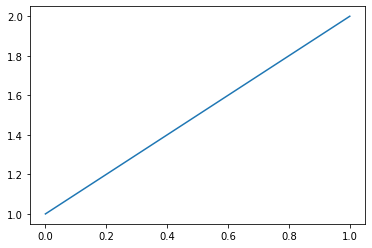
Matplotlib
Sometimes the MXNet ndarray cannot used by other libraries that accept
NumPy input, for example matplotlib. The best practice is converting to
NumPy with asnumpy().
%matplotlib inline
import matplotlib.pyplot as plt

plt.plot(np.array([1,2]).asnumpy());